Comments
Talk with your team about a message without it reaching the agent.
Comment on any message in a Session to talk it through with your team. Comments stay with people: the agent doesn’t see them until someone sends them.
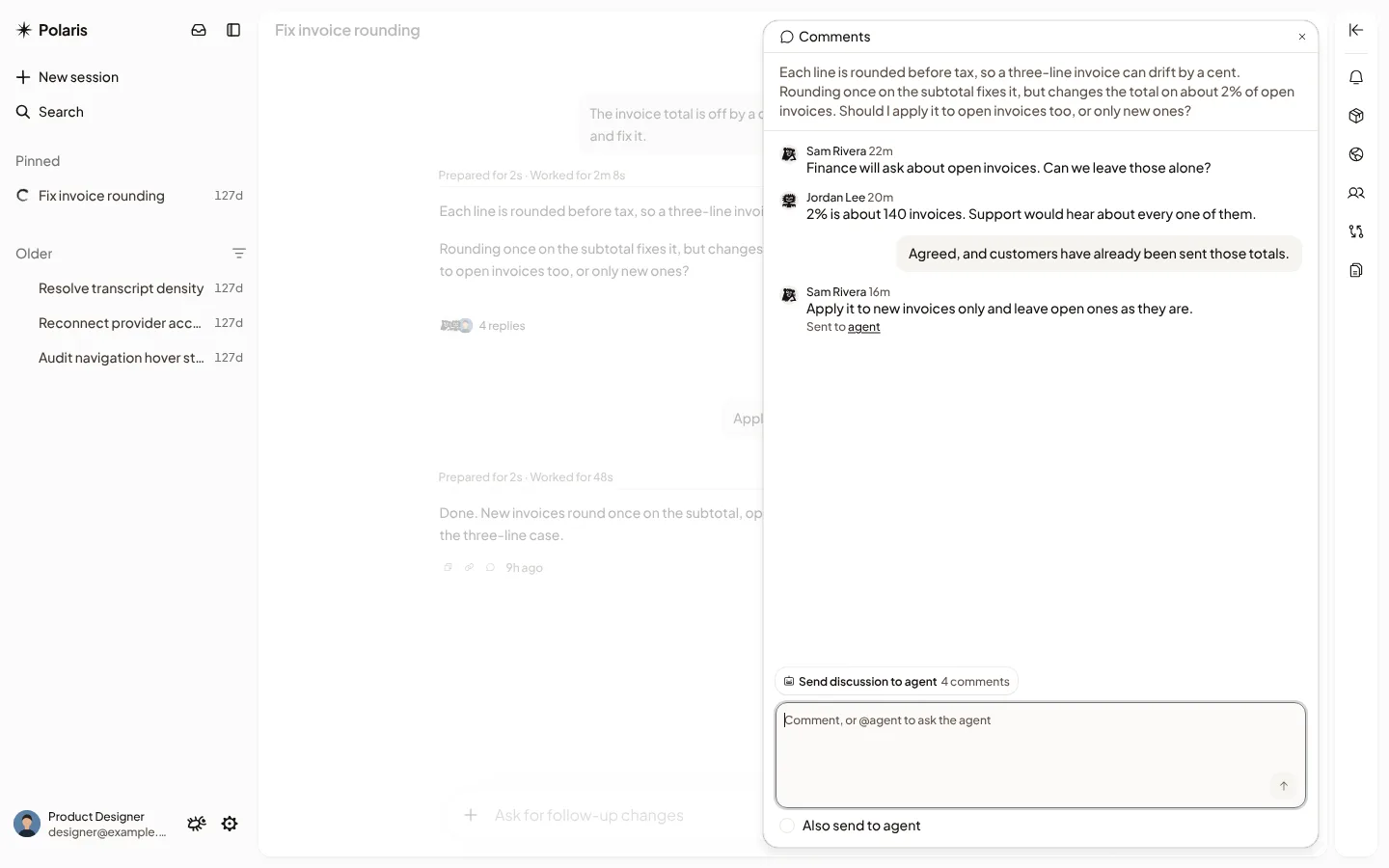
Comment on a message
Hover over a message and select Comment. On a phone, the button is always there. Everyone who can open the Session sees your comment straight away, and the message shows how many replies it has. Select the replies to open them.
Anyone who can see the Session can comment, including people with Can watch.
Bring a teammate in
Type @ in a comment and pick a teammate. They get a
notification that opens the message. In your own Session,
mentioning someone who can’t open it yet shares it with them with Can watch.
Send a comment to the agent
If you can drive the Session, you choose what the agent sees:
- Tick Also send to agent before you send, or include
@agentin the comment. - Hover over a comment that’s already there and select Send to agent.
The comment reaches the agent as an ordinary message from you. If the agent is busy, it waits in the queue. The message links back to its comment, and the comment links to the message.
Send a whole discussion
After a longer discussion, select Send discussion to agent, add what you want done if you like, and select Send to agent. The agent gets every comment added since the last time you sent this discussion, with who said what. The message shows them under Discussion.
If it doesn’t work
- Your comment is saved, but it couldn’t be sent to the agent: select Send to agent on the comment.
- This Session has reached its limit of 500 comments: start a new Session to keep discussing.