Check-ins
Have the agent come back later, or on a schedule, and pick up where it left off.
Ask the agent to come back later and it schedules a check-in: at the time you asked for, it picks the Session up again with the whole conversation so far. Use it to follow up on a deploy tomorrow or watch a long job on a schedule, without keeping Polaris open. For CI, a CI notification brings the agent back when the checks finish.
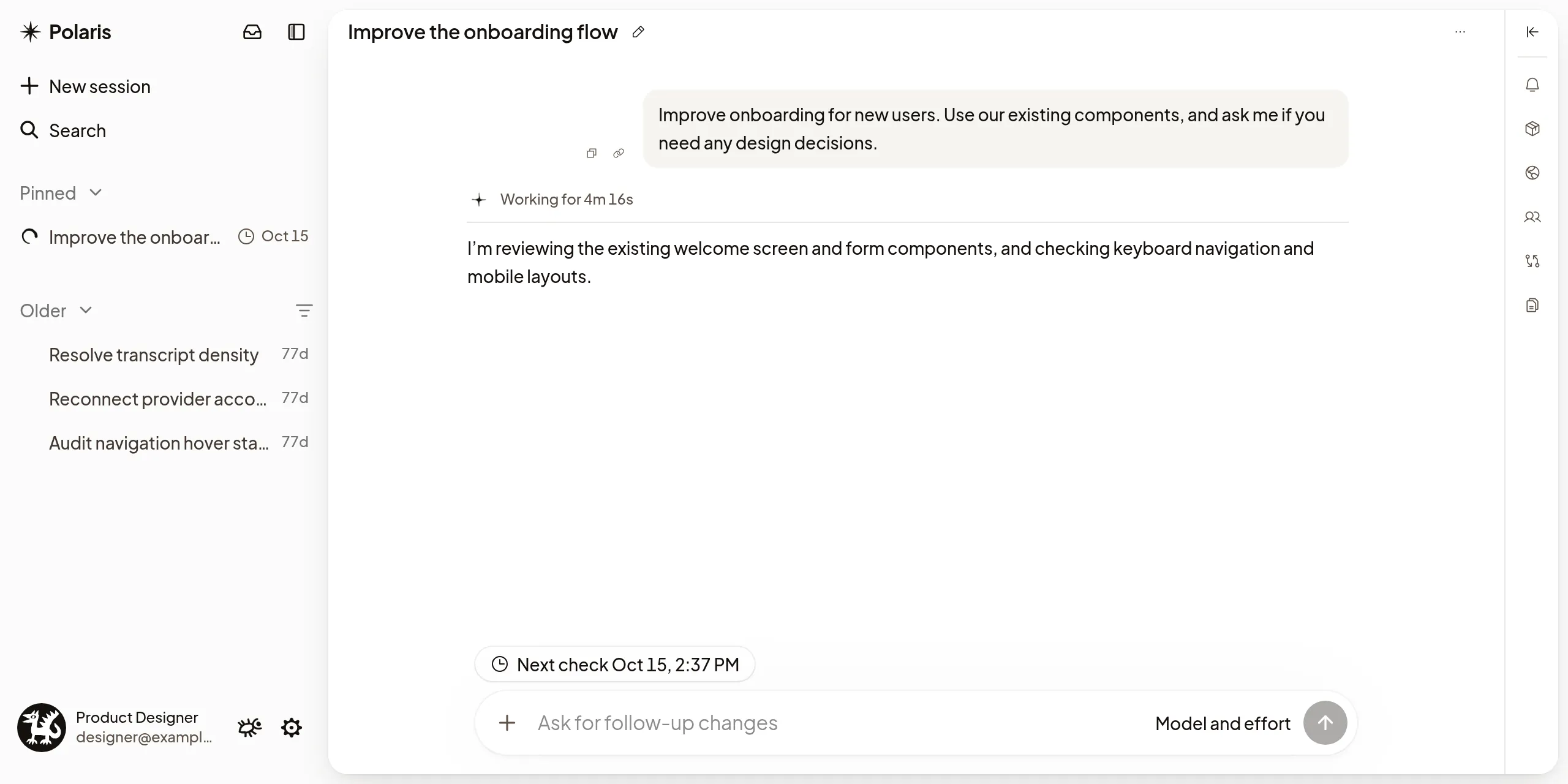
Come back later
Ask the agent to check back after a while, for example to see whether a deploy finished.
The agent finishes its reply and schedules the check-in. The Machine can sleep in the meantime. When the check-in is due, a Scheduled check-in row appears in the transcript and the agent carries on from there.
If a check-in is due while the agent is working, it follows the Session owner’s Follow-up behavior setting: Steer delivers it during the current Turn, and Queue waits for the next Turn. If the agent can’t take steers, it waits for the next Turn.
Check-ins work in Codex and Claude Code Sessions, up to 7 days ahead.
Check on a schedule
For something that needs watching, ask for repeated check-ins with an end, for example every 30 minutes for the next day.
Checks can be as often as every 5 minutes, and a schedule can last up to 7 days.
Routine checks don’t notify you. A check that fails or asks you something still does; see Notifications.
See what’s scheduled
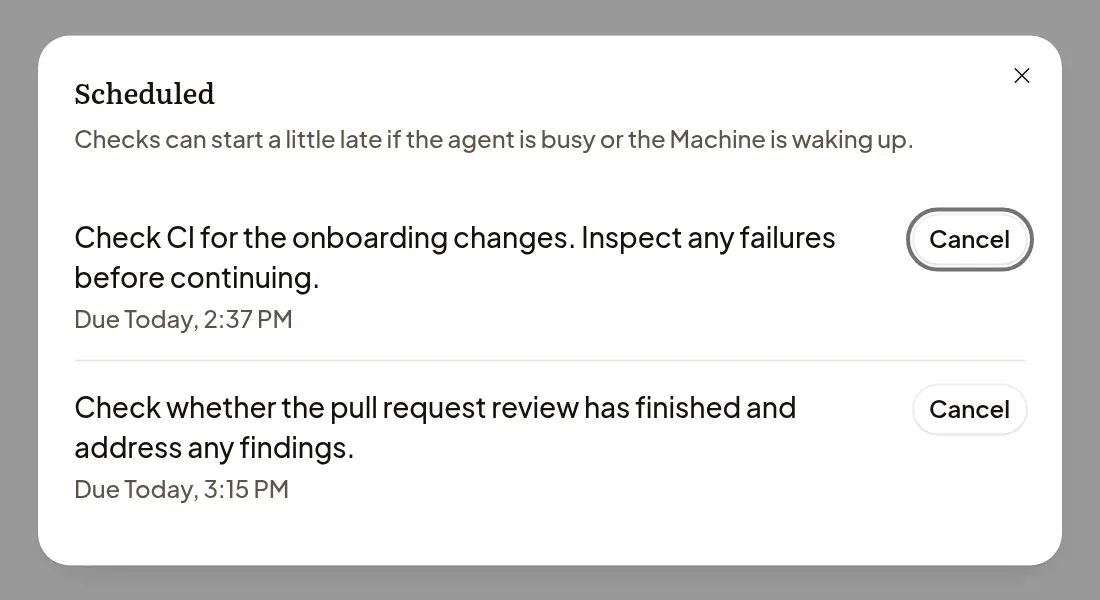
- Above the composer, a Next check chip shows when the next check-in is due. Select it to open Scheduled: each check-in’s note, when it’s due, and for a repeating one how often and until when, such as Every 30 minutes until Tomorrow, 9:00 AM.
- In the sidebar, a clock beside the Session shows its next check-in time. To list only Sessions with check-ins, choose Scheduled in the sidebar’s filters.
A check-in can start a little late if the agent is busy or the Machine is waking up.
Cancel a check-in
Open Scheduled and select Cancel beside the check-in. Cancelling a repeating check-in ends all its future checks. You can also ask the agent to cancel it.
To change a schedule, ask the agent to replace it with a new one. Stopping the agent doesn’t cancel its check-ins. Archiving the Session does, and unarchiving doesn’t bring them back. People who can only watch the Session can see its check-ins but not cancel them.
If a check-in doesn’t run
- Paused: reached the limit for agent steps without you.: the repeating check-in used up its allowance. Select Continue watch to let it go on. Polaris also notifies you with Scheduled check-in paused.
- Waiting for a subagent slot.: the limit for running subagents is reached. The check runs once one finishes, or stop a subagent.
- This check-in is already queued or running.: cancel it from the queue, or use Stop if it has started.