Keep secrets off the Machine
Let the agent use an API key that never reaches its Machine.
Keep a key off the Machine when the agent needs to call a service but should never hold the real key. The agent’s commands get a placeholder, and Polaris adds the real key to each request on its way to that service. Use it for keys that would be costly to leak, such as an OpenAI or Anthropic key or a production API token.
If the service accepts short-lived credentials, as AWS does, use Cloud access instead, and no key is stored at all.
Add an OpenAI or Anthropic key
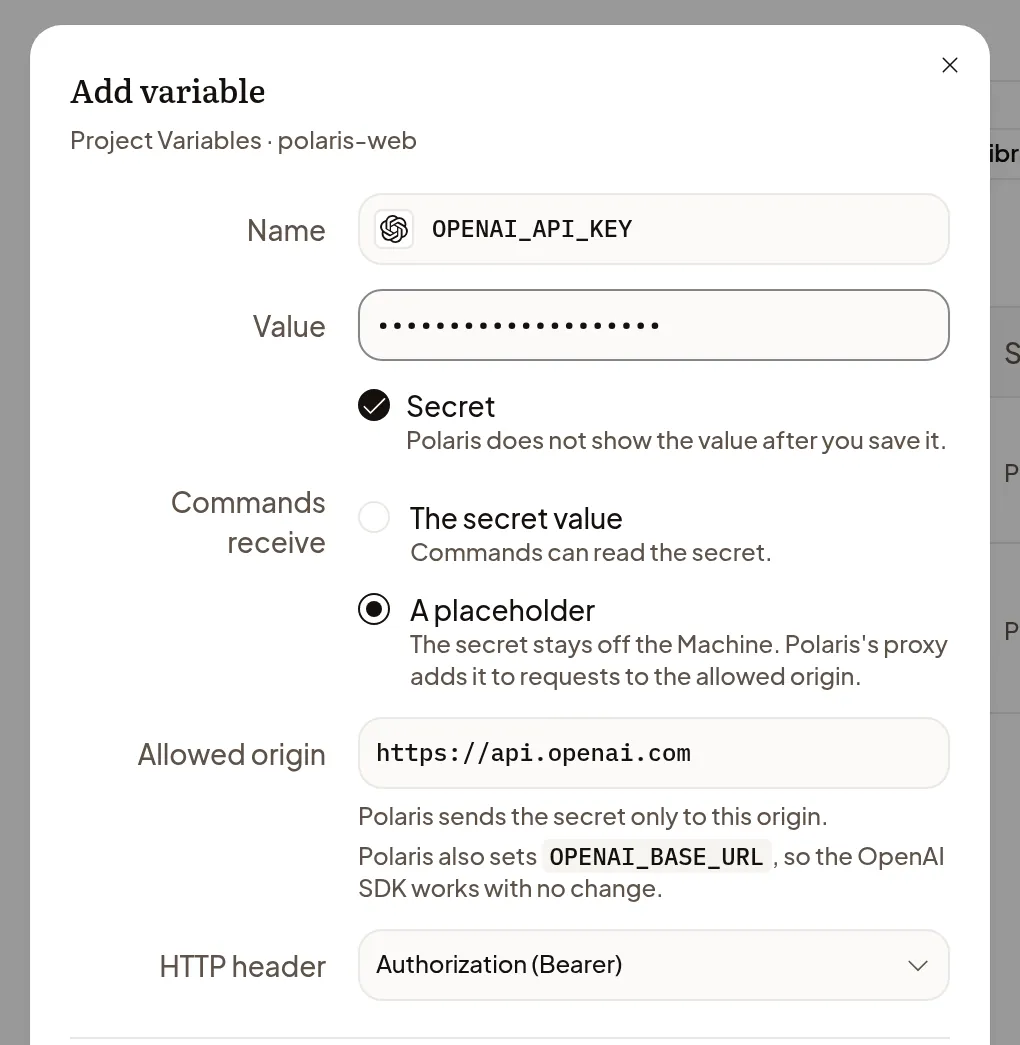
- In the Project’s Variables, or in Settings → Variables, choose Add variable.
- Pick the OpenAI or Anthropic key name from the suggestions under Name, and paste the key in Value.
- Under Commands receive, choose A placeholder. Polaris fills in where the key may go.
- Choose Save.
The variable shows Key off Machine. Polaris also sets up the official SDK to send its requests through Polaris, so your code works unchanged. Choose Test in the key’s row to check it with one read-only request.
Add a key for another service
- Choose Add variable, enter a Name and paste the key in Value.
- Under Commands receive, choose A placeholder.
- In Allowed origin, enter the service’s address, such as
https://api.example.com. Polaris sends the key there and nowhere else. - In HTTP header, keep Authorization (Bearer), or choose Custom header and enter the header the service expects.
- Choose Save.
Your code needs to let you set both the service’s address and its key, because requests go through Polaris on their way to the service.
Use the key
Polaris tells the agent which keys are kept off the Machine and how to call them, so the agent uses them without any setup from you.
Each key’s row shows Last used, the last time Polaris sent it to the service. To rotate it, choose Replace and enter the new key; requests use it as soon as you save.
What it protects, and what it doesn’t
The real key never reaches the Machine, so the agent has no key to print, commit or send anywhere else, and Polaris sends it only to the allowed origin. It doesn’t limit what the agent asks that service to do, and if the service sends the key back in a reply, the reply reaches the Machine unchanged. Give the service a key with only the permissions the agent needs.
If the key doesn’t work
- A command that was running before the Machine slept can lose the key when it wakes: ask the agent to start the command again.
- OpenAI rejected this key, or the same for Anthropic: check that the key is complete and still active, then Replace it.
- Couldn’t reach OpenAI: the test says nothing about the key. Try again later.