Agent instructions
Tell every agent how your team works once, instead of in every message.
Agent instructions are standing guidance that Codex and Claude Code read at the start of every Session: how your team writes commits, what to run before pushing, how you like answers. Write a rule once and every Session follows it, for your whole team, one Project or only you.
Start with your repository
The rules for building, testing and the code itself belong in the repository,
where they travel with the code and agents outside Polaris read them too.
Codex reads AGENTS.md and Claude Code reads CLAUDE.md.
Put each rule in the right place
| Guidance | Put it in | Edit it in |
|---|---|---|
| Build, test and code conventions | The repository | The repository’s AGENTS.md |
| Team rules for every repository, such as pull request style | Organization instructions | Settings, choose the organization, then Agent instructions |
| Rules for one Project that don’t belong in its repository | Project instructions | Settings → Projects, open the Project, then Agent instructions |
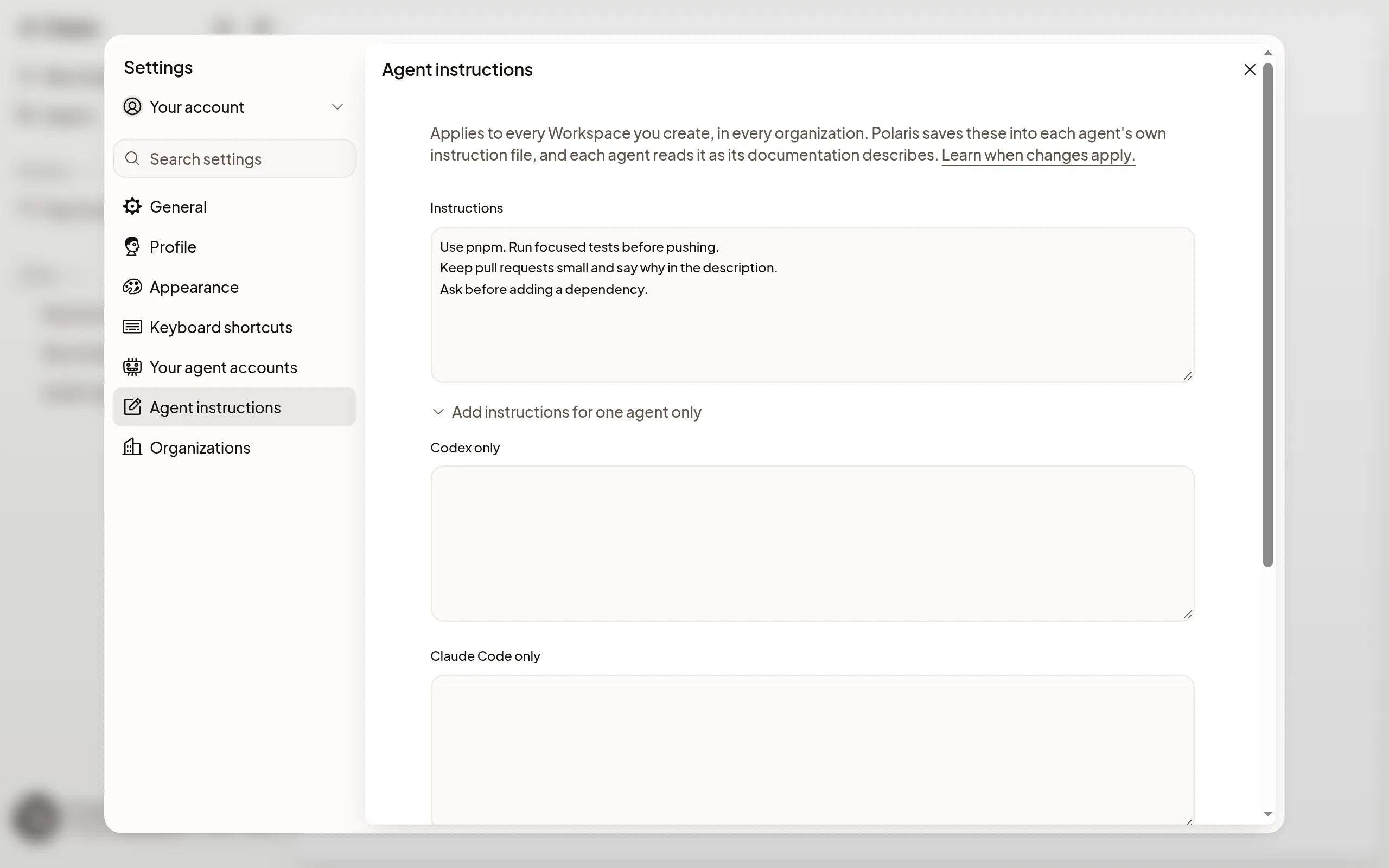
| Your own preferences, such as how much to explain | Personal instructions | Settings → Your account → Agent instructions |
Only Owners and Admins change organization instructions; any member can change a Project’s. Personal instructions apply to Sessions you start, in every organization. Keep secrets out of all of them and use environment variables instead.
You don’t need to explain Polaris: agents already get a section first about their Machine, Previews, keys kept off the Machine, cloud access and your time zone. Pi Sessions don’t receive organization, Project or personal instructions.
Write and save instructions
- Open the editor for the kind you want.
- Type your rules in Instructions. Codex and Claude Code both read it.
- To give one agent extra guidance, choose Add instructions for one agent only.
- Choose Save instructions.
Each editor shows What agents read, in order: Polaris, Organization, Project, Personal, then the repository’s files. Choose a layer to open it.
See what agents get
On a Project’s page, choose Preview what agents get to read the full text each agent receives in a Session you start in that Project, with your personal instructions included. Added by Polaris shows the sections Polaris adds for that Project.
Choose how Claude Code replies
In Settings → General, Claude Code response style sets how Claude Code writes in new Sessions you start: Default, Proactive, Concise, Explanatory or Learning. About the styles beside it describes each one. A Session that’s already running keeps its style.
Your time zone
A Machine’s clock may run in a different time zone from yours, so Polaris tells agents your time zone and they give times in it. The first time you sign in, Polaris saves the time zone your device is set to.
If your device later reports a different one, for example after you travel, Polaris asks Update your time zone? Choose Use with the new place to switch, or Keep with your current one to stay. After you keep it, Polaris doesn’t ask about that time zone again.
To change it yourself, open Settings → General and choose a Time zone. A Machine gets it when it next wakes or you next send a message; a Session that was already running may keep the old one.
When changes apply
A Session you start from Start after saving follows your change. A Session that was already running may keep its old instructions until it next starts, so if an agent isn’t following a change, start a new Session from Start.
If it doesn’t work
- View only: only organization Owners and Admins can change these. Ask one of them, or put the rule in Project or personal instructions.
- These instructions are too long: shorten them below the limit the message names. The count under the editor shows how much you’ve used.
- Someone else changed these instructions: reload to see their version, then make your change again.