Polaris
Hand coding tasks to agents that work in the cloud while you steer from anywhere.
Polaris gives coding agents like Codex and Claude Code their own computer in the cloud. Describe a task, and the agent works on your repository on its own Machine, running your app, your tests and even a browser, while you follow along, steer it and review the result from your laptop or your phone.
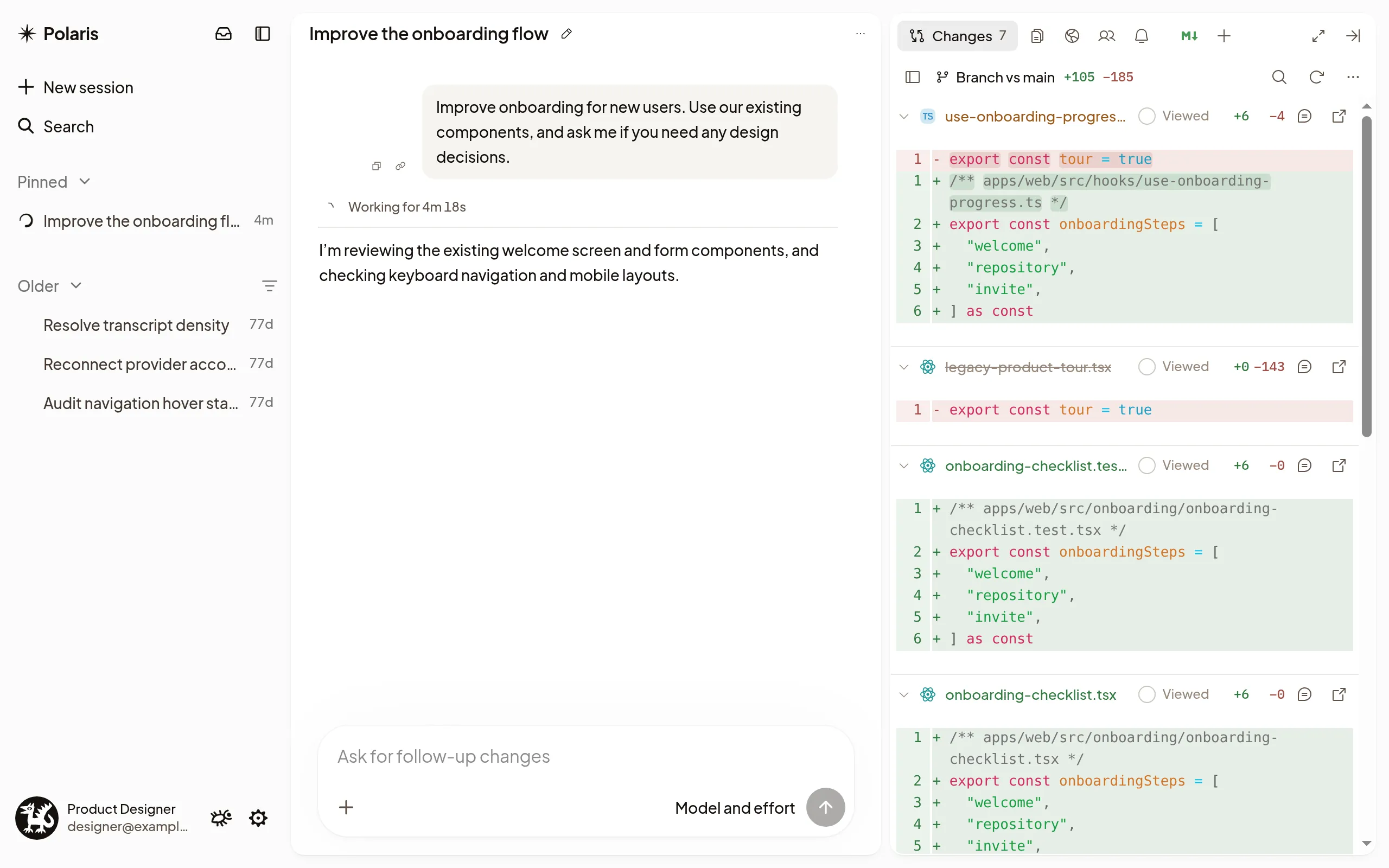
- Many tasks at once. Every Session gets its own Machine, so agents work in parallel without stepping on each other. Close your laptop; they keep going.
- Steer while it works. Add a detail or change direction mid-task, or line up the next task for when it’s done.
- See the real thing. Open the app the agent is running, watch it use a browser, or open a terminal on its Machine.
- Review and ship. Read the diff, comment on lines, and have the agent open a pull request under your name.
- Know when it needs you. Polaris notifies you on your computer or phone when an agent has a question or finishes.
- Your agents, your accounts. Run Codex, Claude Code or Pi on your ChatGPT or Claude subscription, or on an API key.
- Built for teams. Share Sessions, agent accounts and instructions across your organization.
Get started
The Quickstart takes you from an invitation to your first finished task.
Explore
- Start a Session: give the agent a task in one of your repositories.
- Talk to the agent: steer it, queue the next task, answer its questions, or stop it.
- The composer: point the agent at files and Sessions, attach screenshots, or dictate.
- Machines: the agent’s own computer, which sleeps when it’s done and wakes when you send a message.
- Subagents: split a big task across agents working in parallel.
- Check-ins: have the agent come back later to check on a deploy or a long job.
- Previews: see the app your agent is building, live.
- Review changes: comment on the diff and send feedback.
- Pull requests and CI: follow the agent’s pull request and have it come back when CI finishes.
- What needs you: see which Sessions are waiting on you.
- Search: find any Session by its name or by what was said in it.
- Use Polaris on your phone: follow your agents and reply from anywhere.
- Agent accounts: connect your subscription or API key.
- Workspace setup: have every new Machine start ready to run your code.
- Share a Session: let teammates follow the work.