Workspace setup
Have every new Machine start ready to run your code.
Workspace setup has every new Machine start ready to run your code, with your dependencies installed, your tools in place and your services running. The agent can then run your tests and your app from its first message, and check its own work.
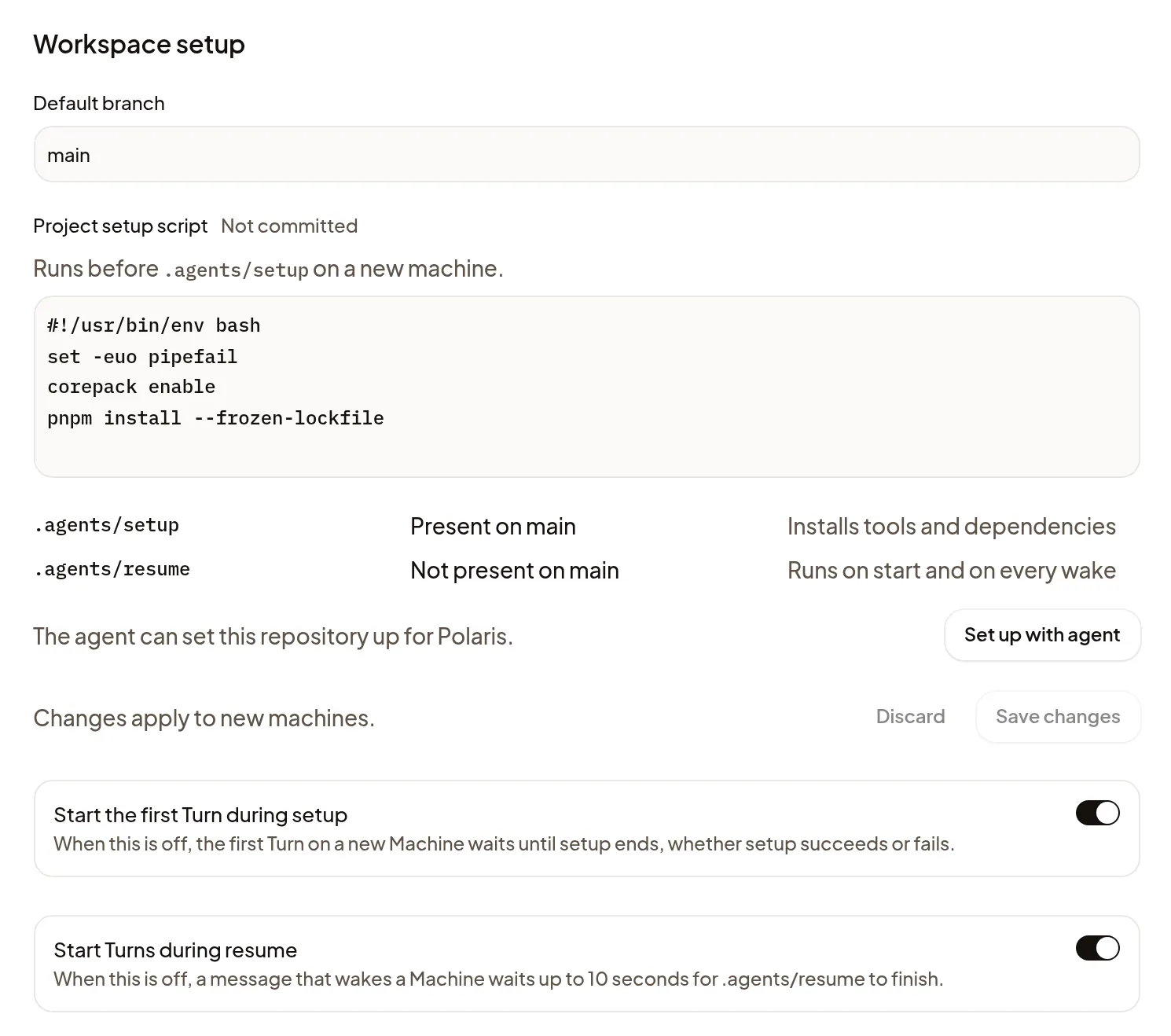
Set it up with the agent
The easiest way is to let the agent write the setup for you:
- Open Settings → Projects and select the Project.
- Under Workspace setup, choose Set up with agent.
Polaris starts a Session with the agent and model you last used. If they aren’t available, Start opens with the request filled in. A new Session in a Project without setup also offers Add a setup command under its first Turn, which opens the same place.
When you first set up Polaris, Prepare the Project’s Workspace setup does this for every Project while your first task runs; see Give the agent a task. If one of those Sessions can’t start, Polaris says so, and you can start it from Settings → Projects as above.
You can also ask for setup in any Session.
The agent writes the setup, runs your own tests or build to prove it works, and opens a pull request that says what it couldn’t prove. Merge it, and every new Machine starts ready.
What the setup does
The setup is two short scripts in your repository, which the agent writes for you:
- .agents/setup installs what your code needs, such as dependencies, system packages and Docker. It runs once, when a Machine is new.
- .agents/resume does quick work each time a Machine starts or wakes, such as signing in to a registry or starting your database. It is the only one that gets your Project’s variables and secrets.
To add setup without committing it to the repository, enter a Project setup script under Workspace setup. It runs first on new Machines.
A tool the agent installs during a task stays on that Machine. To give every new Machine the tool, ask the agent to add it to the setup.
Check that setup worked
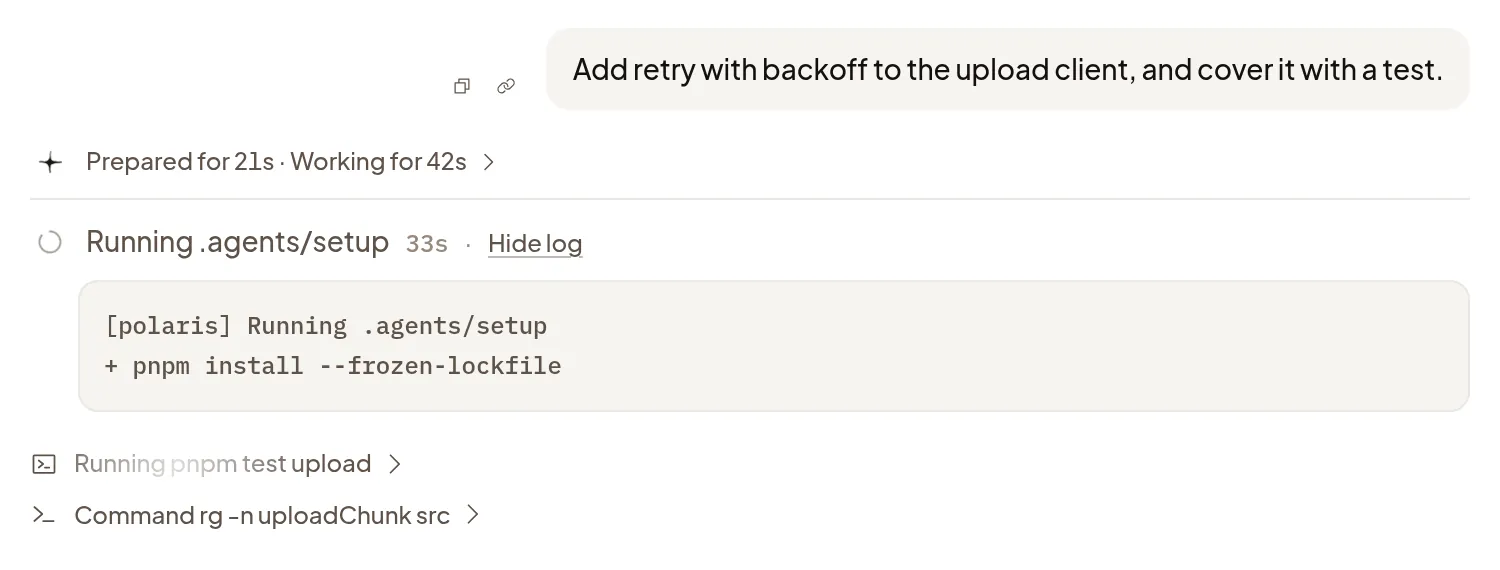
Start a new Session in the Project. Under its first Turn, each script shows a row, such as Running .agents/setup while it works, then Ran .agents/setup. Choose View log to read what it printed. Polaris hides known secret values in logs.
The agent starts while setup runs, so it can read your code right away. To have the first Turn wait until setup finishes, turn off Start the first Turn during setup under Workspace setup. A waiting Turn shows Waiting for setup; choose Start now to start it anyway.
After a Machine wakes, the agent starts on your message while .agents/resume runs. If the agent needs what resume starts before it does anything else, turn off Start Turns during resume: a message then waits up to 10 seconds for resume to finish.
Add Docker
Docker isn’t preinstalled. Ask the agent to add it to your setup.
It uses the tested install script on Machine commands.
If setup fails
A failed script doesn’t block your Session: the agent still starts, and you can still send messages. The script’s row says what happened:
- .agents/setup failed: choose View log to see the error, then Ask agent to fix.
- .agents/setup didn’t finish, or Couldn’t start: choose Ask agent to rerun.
- .agents/setup paused with Machine asleep: send a message to wake the Machine.
Both actions put a request in the composer for you to review and send. Polaris never reruns setup on its own, so the agent fixes and reruns the script on this Machine. To give new Machines the fix, ask it to open a pull request.